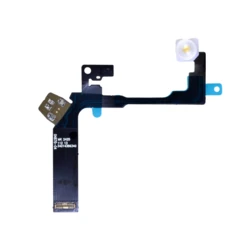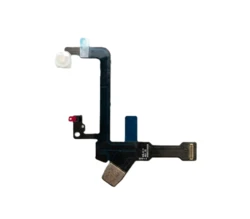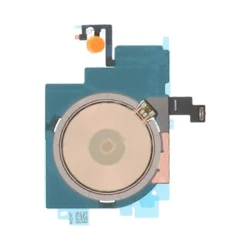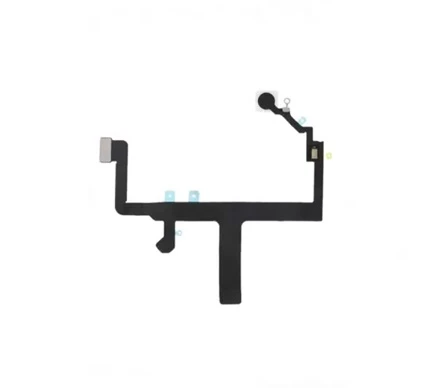
flash+microphone FLEX 15 PLUS
Description
Flash Flex Cable with Microphone for Apple iPhone 15 Plus (Without Induction Coil)
High-quality flex cable integrated with the True Tone Flash LED and the upper/rear audio microphone, designed for the Apple iPhone 15 Plus. This replacement part restores full functionality to devices with damaged factory ribbons responsible for camera flash illumination and ambient sound recording during rear-camera video capturing.
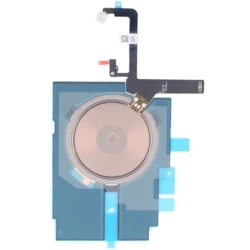
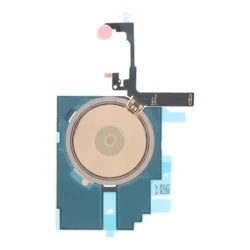
PLEASE NOTE: This is the version without the induction coil (MagSafe/Qi). Before purchasing, please ensure this is the exact version you need for your repair. This product does not include the wireless charging module or magnets.
When should this flex cable be replaced?
This component resolves the most common technical issues resulting from drops or liquid damage, such as:
- Flashlight/torch failure and no illumination during photo or video capture.
- No sound, static, or crackling noises when recording video with the rear camera.
- Failure of the automatic white balance function (if the ambient light sensor cooperating with the flash module is damaged).
Key Product Features:
- Precise Fit: The flex cable is manufactured to match the original dimensions and geometry, guaranteeing a hassle-free installation inside the phone chassis.
- Complete Audio-Photo Module: Features a factory-soldered True Tone Flash LED and a highly sensitive rear camera microphone.
- Premium Signal Quality: Gold-plated contact pins prevent audio interference and ensure a stable connection with the phone's motherboard.
- Safe Packaging: The product is delivered in a dedicated blister pack or anti-static (ESD) bag, protecting it from static electricity and physical damage during transit.
Technical Specifications:
- Compatibility: Apple iPhone 15 Plus (Models: A2847, A3093, A3094, A3096)
- On-Ribbon Elements: Flash LED, upper/rear camera microphone
- MagSafe Induction Coil: Not included
- Purpose: Service / Smartphone Repair
Installation Warning: Replacing this flex cable requires specialized repair tools, as well as disassembling the fragile display panel and internal components. Professional installation at a GSM service center is highly recommended.